TL;DR: The Texas CUBI Act (Capture or Use of Biometric Identifier Act) regulates commercial capture of biometric identifiers - including a "record of face geometry" - and civil penalties reach $25,000 per violation. Plain video recording is one thing; a camera system that builds a biometric face template is another. If footage will be published, Gallio PRO automatically blurs faces and license plates before that footage goes out, running locally with no detection logs kept. Download the free demo to try it on your own footage.
If you operate cameras in Texas - or capture footage of Texas residents - the practical question isn't "do we record video," it's "does our system extract a biometric pattern from a face." That distinction determines which legal regime applies. This guide covers who's covered, what CUBI Act requires, the penalties, and how face blurring fits into a practical compliance workflow.
Download the free demo →
What Exactly Is the Texas CUBI Act?
CUBI Act sits in the Texas Business and Commerce Code, Chapter 503. The statute prohibits a person or commercial entity from capturing an individual's biometric identifier for a commercial purpose without first informing that individual and obtaining consent [1]. The statutory definition of "biometric identifier" includes a retina or iris scan, fingerprint, voiceprint, or record of hand or face geometry [1].
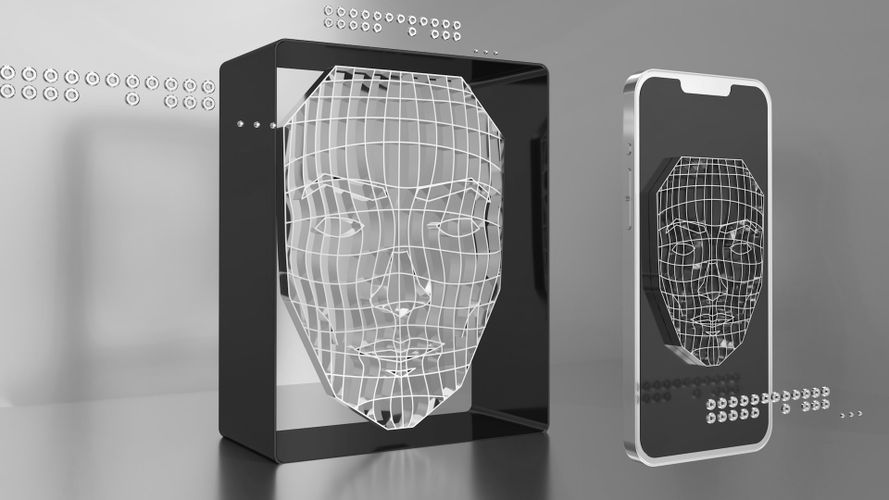
For businesses running cameras, that last phrase - "record of face geometry" - is the whole ballgame. If a camera system doesn't just record images but extracts a biometric pattern used to recognize or match individuals, the organization may fall within the statute's scope. Not every CCTV camera does this automatically. But many modern security systems, retail analytics platforms, and smart access-control systems already do.
Who Does the Statute Apply To?
The law covers commercial capture of a biometric identifier. In practice that most often means retailers, property operators, security firms, hotels, commercially-operated medical facilities, event organizers, image-based marketing operations, and access-control vendors. If a camera or its software analyzes a face to recognize an individual, track repeat visitors, control access, or otherwise perform biometric identification, you need to check compliance against Chapter 503 [1].
What matters is the commercial purpose, not the name of the technology. A system marketed as "visitor analytics," "loss prevention," "smart camera," or "AI surveillance" may in practice be processing face geometry. That functional reality - not the vendor's marketing copy - is what compliance and technical teams need to evaluate.
What Does CUBI Act Require of Businesses with Cameras?
1. Prior consent before capturing face geometry
The central obligation comes from Section 503.001(b): a commercial entity may not capture a biometric identifier for a commercial purpose without first informing the individual and obtaining consent [1]. Operationally, a generic "premises monitored" sign may not be enough if the system builds a biometric face template. Organizations typically consider a clear notice at entry points, an explicit clause in the access process, and a documented, demonstrable form of consent.
For material intended for later publication, the safest practice is separating ordinary monitoring from face-recognition functionality entirely. If publication doesn't require identifying anyone, the simpler route is usually: don't build a face template at all, and apply face blurring before the footage is published.
2. Restrictions on selling, leasing, and disclosing biometric data
Section 503.001(c) restricts the sale, lease, and disclosure of biometric identifiers. Disclosure is permitted only in narrow situations - for example, with the individual's consent, to complete a financial transaction the individual requested or authorized, as required or permitted by federal or state law, or pursuant to a valid subpoena or judicial warrant [1]. That means businesses using third-party integrations, analytics platforms, and cloud vendors need to check carefully whether they're transmitting raw video only, or also biometric data extracted from faces.
3. Duty to destroy biometric data
Section 503.001(d) requires destruction of the biometric identifier within a reasonable time, but not later than the first anniversary of the date the purpose for capturing it expires [1]. This is one of the most operationally concrete requirements for camera-using businesses. "We just keep the footage in case we need it" isn't a good answer if the system is storing face templates - you need a retention policy that ties a specific purpose to a specific deletion deadline.
If footage is headed for marketing, PR, or social media, the safest pattern is to separate the working copy from the publication copy early. The publication copy should go through visual data anonymization anywhere identifying individuals isn't necessary.
4. Reasonable protection of biometric data
Section 503.001(e) requires the entity to use reasonable care in storing, transmitting, and protecting biometric identifiers, at a level of protection at least as high as the entity uses for other confidential information [1]. The statute doesn't list a closed set of technical controls, but in practice this means limiting access, controlling exports, documenting the workflow, and minimizing the scope of data retained.
Penalties for Violating CUBI Act
Enforcement sits with the Texas Attorney General. A civil penalty of up to $25,000 per violation can be sought for each violation [1]. That's not a risk level worth ignoring when deploying face-detection cameras - especially since organizations are sometimes unaware their system is building biometric face templates at all, because the feature was on by default or was switched on by an integrator.
What Businesses Should Do Now (Step by Step)
- Confirm whether your system actually captures face geometry. Don't rely on the vendor's marketing description - get a technical answer: does the camera or VMS build a biometric face template, or does it only record images?
- Check whether a prior-consent mechanism exists. If the system does build a face template, verify notice and consent are captured before that happens, not after.
- Set a retention and deletion policy. Tie any biometric template's purpose to a concrete deletion deadline - no later than one year from when that purpose ends.
- Review footage headed for publication. Limit exposure of individuals who don't need to be identifiable in the published version.
This is where visual data anonymization becomes a practical tool rather than a talking point. If the point of publishing is to show an event, a process, a location, or a campaign - not to identify specific people - face blurring should be the default editorial step. The same logic applies to parking lots and internal roadways, where license plate blurring is often worth adding too.
For teams that want to keep processing local, Gallio PRO can be used as on-premise software to anonymize video and photo material before publication. It's important to understand the exact scope of the feature set: Gallio PRO automatically blurs only faces and license plates. It does not automatically detect company logos, tattoos, name badges, documents, or screen content - those can be hidden manually in the built-in editor. It is also not real-time anonymization or video-stream anonymization; it's a workflow for preparing footage before publication, not for anonymizing a live feed.
A Practical Workflow for Marketing, PR, and Security Teams
- Determine whether the source camera system uses biometric functionality that falls within CUBI Act's scope.
- If publication doesn't require identifying anyone, create a working copy intended solely for redaction.
- Run face blurring, and license plate blurring where relevant, in Gallio PRO.
- Manually check the material for elements the system doesn't detect automatically - logos, name badges, documents, or screen content.
- Publish only the minimized version.
You can run this process internally and test it for free on your own footage before committing to a wider rollout. From a compliance standpoint, the key is understanding automatic detection realistically: the tool doesn't "detect all personal data." It covers faces and license plates. Everything else needs human review.
Quick Reference: CUBI Act Obligations
Area | What the statute says | Practical takeaway for camera-using businesses |
Consent | An individual must be informed and consent obtained before commercial capture of a biometric identifier [1] | Check whether your system builds a face template, and whether consent is captured before that happens |
Disclosure | Sale, lease, or disclosure is prohibited outside narrow statutory exceptions [1] | Audit integrations, cloud platforms, vendors, and exports for biometric data, not just raw video |
Retention | Data must be destroyed within a reasonable time, no later than one year from the purpose expiring [1] | Define the purpose, the deletion deadline, and proof that deletion occurred |
Security | Reasonable care required, at least equal to protection of other confidential data [1] | Limit access, copying, export, and the number of people with permissions |
Publishing footage | The statute doesn't explicitly mandate blurring, but risk minimization is a reasonable practice | Apply visual data anonymization before publication wherever identifiability isn't needed |
When You Need Implementation Guidance
A tailored review usually makes sense when an organization combines monitoring, access control, behavioral analytics, and material publication from a single source - or for multi-site deployments and environments that require local processing and on-premise software. In these cases, it's worth contacting the team to work out an anonymization workflow for photos and video, and the split between automation and manual review.
One operational feature worth noting from a data-minimization standpoint: Gallio PRO doesn't collect logs containing face or license plate detection data, or logs containing personal or sensitive data. For some organizations, that's a meaningful factor in evaluating the processing environment.
FAQ: Texas CUBI Act
Does every CCTV camera fall under Texas CUBI Act?
No. The key question is whether the system commercially captures a biometric identifier, such as a record of face geometry. Plain image recording doesn't automatically bring you within the statute's scope [1].
Is a generic monitoring sign enough as consent?
It depends on the specific process and how consent is collected. The statute requires prior notice and consent before commercial capture of a biometric identifier [1]. In practice, organizations often consider a more explicit mechanism than a generic CCTV notice.
How long can biometric face data be retained?
The statute requires destruction within a reasonable time, no later than one year from the purpose for which the data was captured [1]. Retention should be tied to a specific business purpose, not kept indefinitely "just in case."
Does blurring faces before publication clear CUBI Act obligations?
Not automatically. If a commercial biometric capture already occurred without the required notice and consent, later blurring doesn't erase that exposure. Anonymization is still a very important risk-reduction step for any further sharing of the material.
Does Gallio PRO anonymize footage live?
No. Gallio PRO does not perform real-time anonymization or video-stream anonymization. It's built to prepare photos and video before publication.
Does Gallio PRO automatically detect everything that could identify a person?
No. Automatic detection covers faces and license plates. It does not automatically cover logos, tattoos, name badges, documents, or screen content - those can be hidden manually in the built-in editor.
Should businesses publishing parking-lot footage consider license plate blurring?
Yes - it's a reasonable risk-minimization practice for publicly shared material, particularly when the point of publishing isn't to identify a specific vehicle but to show an event or location.
Written by the Gallio PRO team - data-protection and video-engineering specialists building anonymization software used in retail, security, and marketing workflows. This article is general information, not legal advice.
Running cameras with face detection? Check your exposure before you publish. Download the free Gallio PRO demo →