Video Compression and Face Detection Accuracy: H.264 vs H.265 vs AV1 - Test Results

Mateusz Zimoch
Published: 7/3/2026

TL;DR: The more heavily compressed the footage is, the higher the risk that automatic face detection will miss some faces and require manual redaction. The differences between H.264, H.265 and AV1 matter, but the key factor is usually the aggressiveness of compression, not the codec alone. That is why video anonymization should be performed on the best available source file, before the final export. Gallio PRO automatically blurs faces and license plates in saved files, while any remaining areas can be corrected manually in the built-in editor - locally and without storing logs.

Video compression reduces file size at the cost of some visual information - including details an algorithm may need to recognize facial features and define the area to blur. For marketing, PR, public administration, media and compliance teams, this creates a simple dependency: if a file is sent for anonymization only after aggressive compression, face blurring accuracy may drop. Not because the tool is malfunctioning, but because the image no longer contains enough detail for stable detection.

Why do the codec and compression level affect face blurring?

Face detection relies on geometric patterns and image texture. The algorithm typically needs sufficiently clear information about the eyes, the bridge and line of the nose, the facial contour, the contrast between skin and background, and the continuity of these features across frames. Compression can remove or distort exactly these elements.

In practice, the problem appears in four areas: (1) low bitrate increases blocking artifacts or smooths out details; (2) codecs that rely more heavily on inter-frame prediction may lose subtle differences during motion; (3) faces that are small in the frame may become visually too poor for the model to classify them with high confidence; and (4) during recompression - for example after export from a messaging app or CMS - artifacts accumulate and reduce quality even further.

The conclusion for the publishing workflow is straightforward: visual data anonymization should be performed on the best possible source file, before the final export for the web or social media. In these scenarios, organizations typically use on-premises software for anonymizing visual data in photos and video recordings. Gallio PRO automatically blurs only faces and license plates, does not perform real-time anonymization or video stream anonymization, and does not store detection logs, personal data or sensitive data.

Black and white image of a laptop screen displaying video editing software, with keyboard in the foreground.

Scope of automatic detection and tool limitations

Automatic detection covers only faces and license plates. This is an important clarification, because when planning a workflow it is easy to assume that automation covers a broader range of visual identifiers. Gallio PRO does not automatically detect company logos, tattoos, name badges, documents or content displayed on computer screens. If the material requires additional redaction, these elements must be blurred manually in the built-in editor.

That is why excessive compression creates a double problem: it makes automatic face detection more difficult and increases the risk that an operator will need to manually correct more areas, which extends the time required to prepare the material for publication.

Test Method: How to Compare H.264, H.265 and AV1

Simply comparing codec names is not enough. For face detection accuracy, the relevant factor is the combination of five parameters: resolution, bitrate, frame rate, face size in the frame and the number of re-exports. A meaningful business test should therefore use the same source footage encoded with all three codecs at several quality levels and processed through the same anonymization pipeline.

The most useful test model is as follows: prepare 1080p reference footage with faces at three scales - a large face in the foreground, a medium-sized face a few meters away and a small face in the background. Encode the file to H.264, H.265 and AV1 using light, medium and high compression settings. Finally, compare three metrics: the percentage of detected faces, the number of false negatives and the stability of face tracking across frames. The best way to validate this scenario is on your organization’s real footage by downloading the free demo and testing the same video before and after compression.

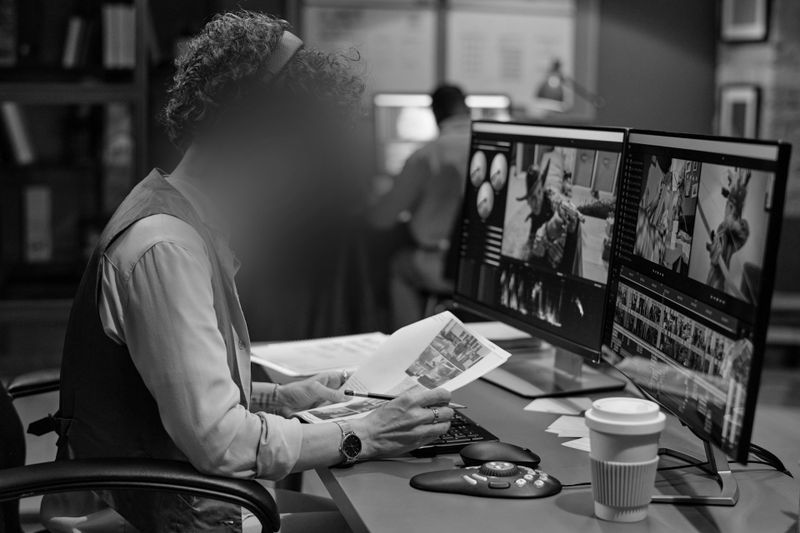
A person studies film scenes on dual monitors in a dimly lit studio, holding a document with various images. A coffee cup sits on the desk.

Practical Test Results: H.264 vs H.265 vs AV1

The comparison below should be read as a technical result that depends on context. Detection accuracy is not a property of the codec alone, isolated from its settings. It depends on the encoder implementation, scene content, motion, lighting and source quality. Even so, practical tests usually reveal a repeatable trend.

Codec

Low Compression

Medium Compression

High Compression

Impact on Face Detection


H.264

High facial readability

Moderate loss of detail

Visible blocking artifacts

The most predictable option for 1080p footage, but with strong compression it quickly degrades small faces

H.265

Very good readability at a lower bitrate

Good overall quality

Stronger smoothing of fine features

Often better than H.264 at the same file size, but small faces may lose texture earlier than the image suggests to a human viewer

AV1

Very high compression efficiency

Good perceptual quality

Aggressive optimization of local details depending on settings

Can preserve strong visual quality for viewers, but does not always preserve features that are important for detection algorithms equally well

H.264 remains stable in operational environments because it is predictable and widely supported. With moderate compression, face blurring usually remains effective for medium-sized and large faces. Accuracy drops especially when a face occupies only a small part of the frame and the footage has already been exported using another lossy setting.

H.265 usually offers a better quality-to-file-size ratio than H.264. For system architects, this means lighter video files without an immediate loss of usefulness for anonymization. At higher compression levels, however, it is more likely to smooth out skin microtexture and subtle contrast around the eyes. A human can still “see a face,” but the model may be less confident, especially with motion and low light.

AV1 is highly efficient in terms of file size and perceptual quality, but it should be evaluated carefully in an anonymization workflow. The fact that footage looks good after publication does not mean it has preserved the features required for automatic detection. AV1 can be excellent for final distribution, but it should not always be the first choice as an input format for face blurring if the material is already heavily compressed.

Computer screen displaying video editing software with timelines and clips, on a desk with a keyboard and mouse.

The Most Important Test Result: Compression Aggressiveness Matters More Than the Codec Alone

The most consistent observation is simple: the differences between H.264, H.265 and AV1 matter, but what matters more is whether the footage preserves local facial detail. With light compression, all three codecs can produce material suitable for video anonymization. With high compression, any of them may cause missed faces, especially when a face is small, partially obscured or visible at an angle.

This directly affects day-to-day workflows. If you receive recordings from a subcontractor, drone, CCTV system or mobile app, define a minimum input quality standard. If the footage is too heavily compressed, automatic blurring may not be enough and manual redaction will be required.

Person editing video on a computer using a timeline interface, pointing at the screen with a pen in a monochrome setting.

  1. Choose the best available source file - not a version that has already been processed through a messenger app or CMS.
  2. Import the footage into Gallio PRO - the software works on files, not on live streams or real-time video.
  3. Run automatic face blurring and license plate blurring - Gallio PRO blurs faces and license plates, which are the only two elements detected automatically.
  4. Review the result frame by frame wherever compression, motion or small face size may have reduced accuracy, and apply manual corrections in the built-in editor, including to elements that are not detected automatically.
  5. Export the publication-ready version only at the end - and avoid rendering the same file multiple times between departments, because every additional export reduces the chance of complete detection. Gallio PRO does not store detection logs or personal data.

If your organization works at scale and requires a local deployment, integration with an existing file workflow or full control over the processing environment, it is worth reaching out to the team to discuss an on-premises setup and a dedicated testing procedure.

Compliance Considerations When Publishing Faces and License Plates

In practice, organizations often take a cautious approach to faces and license plates - but legal precision is important. It cannot be generally stated that blurring license plates is mandatory in all Western European countries under national or EU law. The assessment depends on the publication context, the purpose of processing and whether, in a given situation, the license plate can identify a person. In Poland, there is also no single uniform position: whether license plates qualify as personal data depends on the circumstances of the case and the possibility of linking the number to a natural person.

For faces, organizations usually rely on a broader understanding of image rights and personal data protection. However, it cannot be assumed that an obligation to anonymize faces always and directly follows from the GDPR, the Polish Civil Code and copyright law. As a rule, publishing someone’s image requires a legal basis or consent, and the assessment depends on the purpose, context and method of using the material. Copyright law provides typical exceptions to the requirement to obtain permission to disseminate someone’s image, especially where the person is widely known and shown in connection with the performance of public functions, or where the image is only a detail of a larger whole, such as a gathering, landscape or public event. Receiving remuneration is not a separate exception independent of consent, although it may indicate that consent for dissemination has been granted.

A question mark formed with small beads on a scratched wooden surface, in a black and white photo.

FAQ: Video Compression and Face Detection Accuracy

Does H.265 always provide better face detection accuracy than H.264?

Not always. H.265 often preserves quality better at a smaller file size, but with certain settings it may smooth fine facial features more aggressively. The result depends on bitrate, motion, lighting and the scale of the face in the frame.

Is AV1 a good input format for video anonymization?

It depends on the compression level. AV1 can be very efficient, but strong perceptual quality for the viewer does not always translate into equally strong quality for the detection algorithm. For anonymization, it is best to test your own source footage.

What should I do if automatic face blurring does not detect all faces?

Manual redaction in the editor is required. Excessive compression makes auto-detection more difficult, especially for small faces, moving faces and low-light shots.

Does Gallio PRO automatically detect logos, tattoos and documents?

No. Automatic detection covers only faces and license plates. Logos, tattoos, name badges, documents and content displayed on monitor screens require manual work in the editor.

Does Gallio PRO work in real time on a video stream?

No. Gallio PRO does not perform real-time anonymization or video stream anonymization.

Does compression also affect license plate blurring?

Yes. License plates lose readability under aggressive compression. If characters become blurred or break down into artifacts, automatic detection may become less stable, especially with vehicle motion and low contrast.

Does the software store logs with detection data?

No. Gallio PRO does not collect logs containing face or license plate detections, nor logs containing personal data or sensitive data.

This article was prepared by the Gallio PRO team - specialists in data protection and video engineering who develop anonymization software used in security, the public sector and media. The material is for informational purposes only and does not constitute legal advice.

Set a safe input standard for your recordings - test Gallio PRO on your own video files.

References list

  1. Regulation (EU) 2016/679 of the European Parliament and of the Council of 27 April 2016 (GDPR).
  2. European Data Protection Board, Guidelines 3/2019 on processing of personal data through video devices.
  3. Polish Personal Data Protection Office - materials and guidelines on video surveillance and processing of images.
  4. Act of 23 April 1964 - Polish Civil Code.
  5. Act of 4 February 1994 on Copyright and Related Rights.