TL;DR: When a US store receives a police request, a subpoena, or another formal request for CCTV footage tied to a theft or a security incident, the material needs to be handed over proportionately - without disclosing more than necessary. Loss prevention teams typically anonymize bystanders, license plates unrelated to the case, and background elements (a POS screen, documents, badges), while leaving the suspect's face and evidence directly tied to the incident. Gallio PRO automatically blurs faces and license plates, and you redact everything else manually in the built-in editor - locally, with no detection logs. Download the free demo to test the process on your own footage.
Visual data anonymization is the practice of limiting how identifiable people and vehicles are in photo and video material, using techniques like face blurring and license plate blurring, before that footage is disclosed further. In US retail, this comes up in a very specific scenario most often: a store has CCTV footage tied to a theft, a security incident, or a register fraud case, and then receives a police request, a subpoena, or another formal request to hand over the recording.
For loss prevention teams, the key question isn't whether the footage exists - it's how to hand it over in a way that's operationally safe and proportionate. Typical US compliance practice separates three issues: (1) establishing the basis and scope of the request; (2) assessing whether the entire recording is actually needed; (3) deciding what should be redacted or anonymized before release, particularly if bystanders, children, license plates, or screens with extra information appear in frame.
Download the free demo →
In US practice, not every contact from law enforcement carries the same legal weight. A police request can be an informal ask to preserve footage or voluntarily hand over a copy. A subpoena usually means a formal obligation to produce specified material, though the scope of that obligation and the ability to object depend on the applicable law and the wording of the request. In some situations, a search warrant comes into play too, giving authorities a broader power to seize evidence. The distinction matters to a store, because it affects whether material can be handed over voluntarily or should be limited strictly to the described scope of the request.
The most common operational model looks like this: first, the loss prevention team secures the original source file and logs the date, time, camera location, and the person responsible for the export. Next, it confirms whether the request covers a specific time window, specific cameras, and a specific incident. Only then is a working copy prepared for review and possible anonymization. Splitting the original from the working copy this way reduces the risk of a claim that evidence was tampered with.
Organizations with more formalized procedures benefit from a written workflow approved by legal, security, and records management. Where material needs to be processed locally, Gallio PRO is useful as on-premise software for visual anonymization, particularly where the organization doesn't want to send footage to cloud services. From an operational security standpoint, it also matters that Gallio PRO doesn't store logs containing personal data from face or license plate detection.
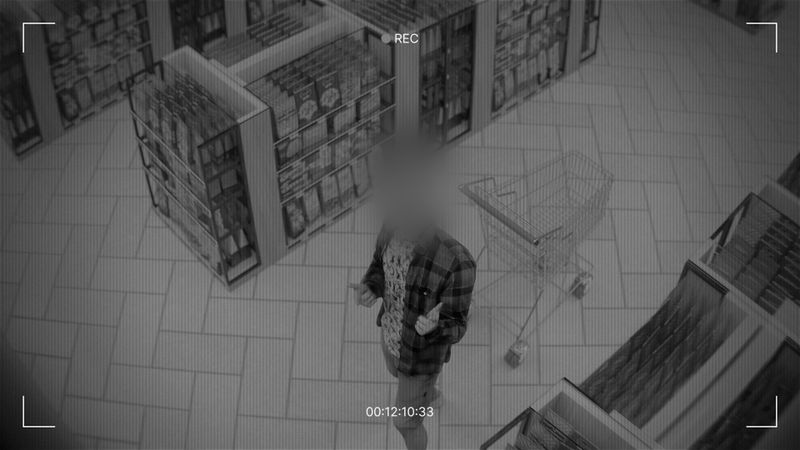
The narrow angle for retail loss prevention is simple: the material should help prosecute a specific act, but shouldn't disclose more than necessary. In practice, businesses most often consider anonymizing bystanders who aren't suspects, witnesses, or officers connected to the incident. That especially applies to customers moving through the store, people in line, children, and random passersby visible at the entrance or in the parking lot.
The second category is vehicle license plates visible in the parking lot, at curbside pickup, or in the delivery zone. If a law enforcement request concerns an incident at the register aisle or in the electronics department, fully identifying every vehicle present outside the store usually isn't necessary. That's why license plate blurring is a common measure for limiting over-disclosure.
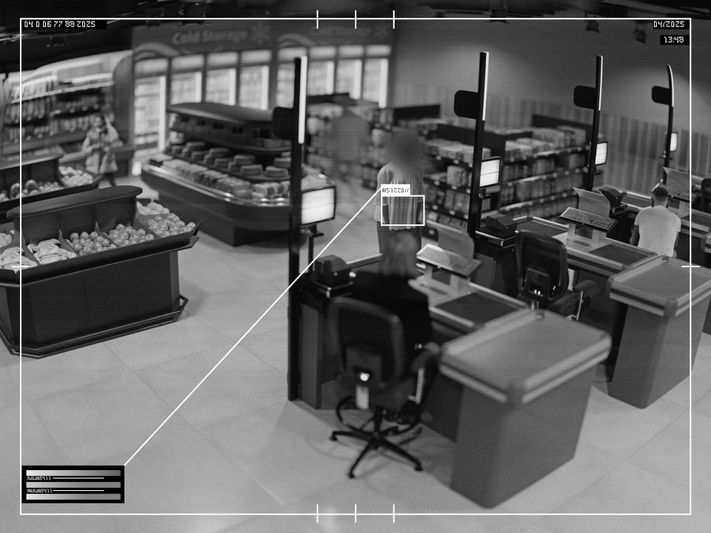
The third category is background elements. In retail, a camera can sometimes capture a POS screen, a self-checkout terminal, a customer-service monitor, a printed receipt at the counter, an employee ID badge, or a document left in the back office. These objects shouldn't be left without review. It's especially important to note that automatic detection typically doesn't cover these elements. Gallio PRO automatically blurs only faces and license plates. It doesn't automatically detect company logos, tattoos, name badges, documents, or screen content. Those objects can be blurred manually in the editor.
When It's Not a Good Idea to Anonymize Everything
Not every redaction is a good idea. If the suspect's face is the central identifying piece of evidence, blurring it in the copy provided to law enforcement can undermine the material's usefulness. Similarly, if a specific license plate is directly tied to the vehicle used in a getaway or an organized theft, license plate blurring isn't the right move for that part of the frame. The business rule here is proportionality: anonymize what isn't needed for the purpose of the request, and leave what constitutes meaningful evidence.
This requires whoever reviews the footage to understand the context of the incident. If a subpoena covers "all footage relating to incident at register 6 between 18:40 and 18:55," redaction decisions should be evaluated against exactly that scope. If law enforcement is asking for parking lot footage, you need to establish whether the goal is identifying a specific vehicle, or just the sequence of events. That's exactly why exporting too broad a slice - many cameras, a long time range - increases the risk of unnecessary disclosure.
A Practical Workflow: From the Original to the Copy for Law Enforcement
- Preserve the original unchanged and limit access to it.
- Prepare a working copy that matches the exact scope of the request.
- Review the material frame by frame in Gallio PRO for bystanders, plates, and objects requiring manual redaction.
- Export the version being handed to law enforcement and separately retain metadata about the process.
- Document who received the material, when, and on what basis.
On-premise software supports this workflow well, since material doesn't need to leave the organization's environment. It's worth being clear about the tool's limits here. Gallio PRO doesn't blur full silhouettes - only faces and license plates. It doesn't perform real-time anonymization or video-stream anonymization. Automatic detection covers only faces and license plates.
If you need a test process for your LP, security, or compliance team, it helps to walk through one typical case. For example: export 7 minutes of footage from the main entrance, run automatic face blurring for bystanding customers, manually blur the register screen in the background, then export both the evidence copy and the working copy. You can test that scenario in practice by downloading the demo version and checking redaction quality on non-production data.
See how Gallio PRO anonymizes video footage.
Decision Table for Loss Prevention
Element visible in footage | Usually needs review before release | Typical action |
Suspect's face, directly tied to the incident | Yes | Usually leave visible if evidentially significant |
Bystanding customers' faces | Yes | Often apply face blurring |
Plate of the vehicle used in the incident | Yes | Usually leave visible if evidentially significant |
Plates of other vehicles in the parking lot | Yes | Often apply license plate blurring |
POS screen, document, badge in the background | Yes | Manual review and possible manual redaction |
Brand logo or tattoo | Yes | Context-dependent review, manual redaction if needed |
How to Hand Over Material in Line With State Law and Evidentiary Practice
There's no single, universal state rule for every retailer and every type of request across the US. It's therefore safer to talk about a common compliance approach rather than a single standard. Organizations often weigh four criteria: (1) whether a valid basis for the request exists in that state; (2) whether the scope of the material is proportionate; (3) whether the method of transfer preserves the integrity of the evidence; (4) whether the store avoids disclosing visual data about people unrelated to the incident more than necessary.
In practice, handover most often happens via an encrypted drive, a secure evidence portal used by the agency, or a physical drive with a receipt confirmation. The loss prevention department should keep its own release log, case number, receiving officer's details, and a summary of the file's scope. If an organization operates across multiple states, or has specific requirements around on-premise deployment, retention, or chain of custody, it's sensible to consult the procedure with legal counsel or the team responsible for deploying the tool.
Common Mistakes Stores Make With Police Requests and Subpoenas
The first mistake is handing over too broad a time window - the incident lasts 3 minutes, but the store exports 2 hours from multiple cameras. The second is overwriting the original by working directly on the source file. The third is assuming automatic anonymization covers everything in frame - it doesn't. In retail, documents at the service desk, screen content, name badges, and custom markings are particularly likely to slip through. The fourth mistake is not documenting why certain faces or plates were left unredacted. Without that note, it becomes harder later to demonstrate proportionality.
A separate mistake is confusing anonymization for law enforcement disclosure with anonymization for marketing publication. This is evidentiary material and cooperation with law enforcement, not a public release. The decision standard is different - in a handover to law enforcement, more can reasonably be left visible when it's genuinely necessary for the case. Even so, it's still worth limiting the visual data of bystanders and background unrelated to the incident.
FAQ: Retail Loss Prevention Video in the US
Does a US store always have to hand over footage to police on request?
Not always. It depends on the basis for the request, the organization's policies, and state law. In practice, an informal police request is treated differently from a formal subpoena or warrant. The assessment should be documented.
Do the faces of everyone in the footage need to be blurred before release?
No. Typically the assessment is which people are relevant to the case and which are incidental bystanders. Face blurring most often applies to the latter.
Do license plates always need to be blurred?
Not always. If a specific plate is a key piece of evidence, blurring it can be the wrong call. Plates of other vehicles unrelated to the incident are often good candidates for redaction.
Will an automatic tool detect documents and register screens visible in the background?
You shouldn't assume so. Gallio PRO automatically detects and blurs only faces and license plates. Documents, screen content, tattoos, logos, and name badges need manual review and possible manual redaction.
Can you work exclusively on a working copy?
Yes, that's a common and sensible practice. The original stays untouched as source material, and all redaction happens on the copy prepared for handover.
Does the software work in real time on a camera stream?
No. Gallio PRO does not perform real-time anonymization or video-stream anonymization.
Does handing over anonymized material eliminate all legal risk?
No. It's a risk-reduction tool, not a guarantee of full compliance. The final assessment depends on the scope of the request, state law, organizational policy, and the evidentiary significance of the specific material.
Written by the Gallio PRO team - data-protection and video-engineering specialists building anonymization software used in retail, security, and law enforcement cooperation workflows. This article is general information, not legal advice.
Preparing material for a law enforcement request? Test the process on your own files. Download the free Gallio PRO demo →