Visual data anonymization in CCTV and access control environments means preparing photos and video recordings in a way that reduces the risk of identifying people and vehicles before the material is shared. In practice, this most often includes face blurring and license plate blurring. This is especially important in entry-point integrations, because an IP camera often operates together with a card reader, turnstile, entry log system, or building management system. In that setup, a single frame captured at an entrance is no longer just an image - it becomes part of a broader personal data processing workflow.
This is exactly the use case that is often not described in enough detail. Video surveillance on its own is well understood. Access control on its own is too. The problem begins when an organization links footage with information about an entry event, a gate number, the time a card was used, or zone permissions. In that model, three issues need to be separated clearly: who the data controller is, when biometric processing risks arise, and how to anonymize footage before sharing it with security staff, an auditor, or an external party.
Who is the data controller when CCTV is integrated with access control?
In a typical setup, the data controller is the entity that determines the purposes and means of the entire solution - usually the property owner, employer, infrastructure operator, or public authority. If the same entity decides how both the IP cameras and the access control system operate, it will usually remain the single controller for both data streams. The legal basis for this is the general definition of a controller in Article 4(7) GDPR [1].
The situation is different when several entities jointly determine the purposes and means of the integration. One example would be the owner of an office complex and a tenant who jointly define how footage is correlated with entries to specific zones. In that case, a joint controllership model under Article 26 GDPR may apply [1]. If, on the other hand, a security company or system provider maintains the solution solely on the customer’s instructions, it will more often act as a processor rather than a controller.
From a compliance perspective, it is crucial not to assume that the controller is automatically the camera vendor, VMS provider, or systems integrator. Simply supplying the technology does not determine that role. What matters is the actual influence over the purpose and method of processing. For that reason, documentation should describe separately who manages retention periods, who decides whether footage may be correlated with entry logs, who approves export of the material, and who defines the rules for anonymization.
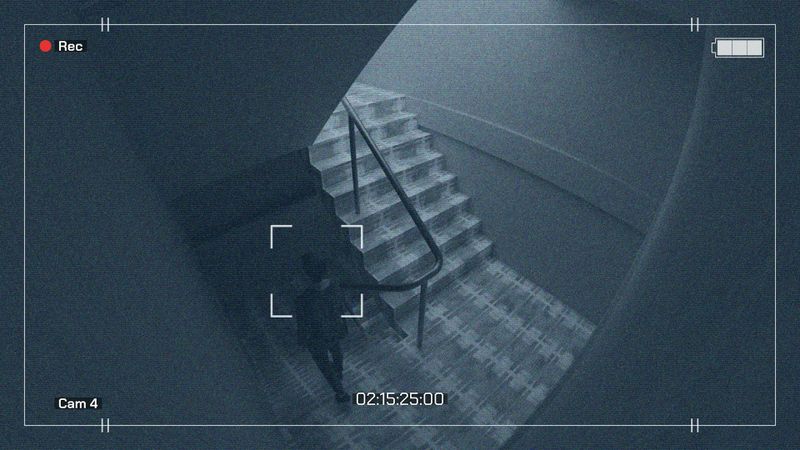
A recording of a corridor alone may be treated as standard CCTV footage. However, footage from a camera aimed at an entry point and synchronized with a card reader creates much greater potential for identification and behavioural profiling. The organization can then determine who attempted to enter, when, which zone they tried to access, and whether access was denied. At that point, this is no longer simply a view of movement near an entrance - it is part of the access control process.
From a GDPR perspective, this usually means that the purpose, retention period, and scope of access to the material must be defined more precisely. In its guidelines on processing personal data through video devices, the EDPB highlights the importance of data minimization, purpose limitation, and restricted access to footage [2]. This is particularly relevant for cameras covering entrances, reception desks, mantraps, and turnstiles.
This is where Gallio PRO is useful as on-premise software for anonymizing photos and video recordings before they are exported outside the source system. This matters especially where footage from entrances needs to be shared with security teams, audit departments, or external entities. From a security standpoint, an added advantage is that the software does not store logs containing detection data or personal data.
Not every recording of a face qualifies as biometric data under the GDPR. Under Article 4(14) GDPR, biometric data means personal data resulting from specific technical processing relating to the physical, physiological, or behavioural characteristics of a person, which allow or confirm the unique identification of that person, such as facial images or fingerprint data [1].
This distinction is very important. If a camera simply records an entrance and the footage is used later to verify an incident, that will usually not yet amount to processing of a special category of data. However, if the system uses facial recognition to automatically confirm identity and open access points, the risk of entering biometric-data territory becomes significantly higher. In that case, not only the general principles of Article 5 GDPR apply, but also the stricter regime of Article 9 GDPR for special categories of data [1].
In business practice, it is often safest to apply a simple test. If a face is merely visible in the recording, that does not always mean biometrics are involved. If the face is subjected to specific technical processing for the purpose of uniquely confirming identity at entry, organizations will often treat that as biometric processing. The final assessment, however, still depends on the architecture of the solution and the specific processing purpose.
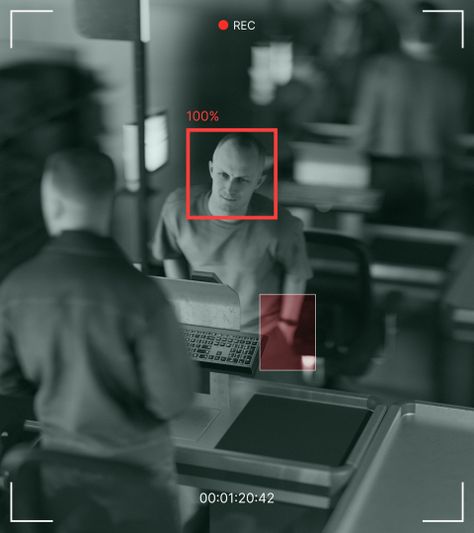
The most common mistake is to share a raw export from an entrance camera together with the full context of bystanders visible in the frame. In reality, investigating an incident usually does not require showing every face in a reception area or parking lot. In many cases, it is enough to preserve the incident itself while limiting the identification of people who are not connected to it.
A practical workflow looks like this.
- Step 1 - export only the segment of the recording that is necessary to clarify the event.
- Step 2 - apply face blurring to people whose identification is not necessary.
- Step 3 - apply license plate blurring if the frame includes a parking area, barrier gate, or access road.
- Step 4 - only then should the prepared material be shared with an external recipient or an internal recipient with limited permissions.
In this workflow, the scope of automation should be stated clearly. Gallio PRO automatically blurs only faces and license plates. It does not automatically detect company logos, tattoos, name badges, documents, or images shown on monitor screens. Those elements can be blurred manually in the built-in editor, which is straightforward to use. The software does not blur entire bodies, does not provide real-time anonymization, and does not anonymize live video streams.
For technical teams and facility managers, this distinction matters operationally. Automatic detection covers only faces and license plates, not access card data or identifiers displayed by readers. So if the footage shows a reception screen with an entry list or a visible employee card, additional manual redaction is required.
After mapping this process, it makes sense to try the demo on a real export sample from your VMS or NVR and assess how much redaction is needed before the material can be shared.
Faces and license plates: what usually needs to be blurred
The obligation to anonymize faces does not automatically arise in every case involving image processing, but when recordings are shared with third parties, GDPR principles often support doing so, and when publication is involved, provisions of civil law and copyright law may also matter. Polish copyright law provides exceptions to the consent requirement for disseminating an image, especially where:
- the person is widely known and the image was captured in connection with the performance of public functions,
- the image is merely a detail of a larger whole such as a gathering, landscape, or public event,
- the person received agreed payment for posing, unless expressly reserved otherwise [4].
In building entry environments, these exceptions apply relatively rarely, which is why cautious handling of materials showing recognizable faces is standard business practice.
As for license plates, the situation is more nuanced. There is no general EU-wide rule stating that in Western European countries license plates must, as a matter of principle, always be blurred. The assessment depends on the context, the processing purpose, and whether, in a given case, the plate allows the identification of a natural person. In Poland, the issue is not fully settled either, but in data protection practice vehicle registration numbers are often treated at least as data that may lead to identifying a person. For that reason, with footage from parking lots, gates, and barriers, precautionary license plate blurring remains a sound compliance measure.
Table: typical decisions when sharing recordings from entry points
Situation | Does the footage contain personal data? | Biometric risk | Typical anonymization practice before sharing |
|---|
Reception camera without facial recognition | Yes - visible faces, behaviour, and entry time | Low | Face blurring for bystanders and limiting the recording to the relevant time range |
Camera integrated with card-use logs | Yes - footage linked to a specific entry event | Low to medium | Face blurring for people unrelated to the incident, plus manual redaction of screens and badges |
Vehicle entrance gate with a visible plate number | Often yes, or at least contextually debatable | Low | License plate blurring as a precautionary compliance measure |
Entrance with automatic facial recognition | Yes | High - possible biometric processing | Assess the legal basis, carry out a DPIA, and strictly limit exports of the material |
On-premise software and integration with building infrastructure
In enterprise environments, not only the blurring itself matters, but also the deployment model. On-premise software reduces the risk of uncontrolled transfer of recordings outside the organization and makes it easier to keep footage within an environment managed by the controller. This is especially important where recordings come from HR access points, laboratories, server rooms, high-security zones, or critical infrastructure.
For deployments that require integration with an existing VMS, incident repository, or custom export workflow, it is worth to get in touch and discuss an on-premise or API-based implementation model. From a GDPR standpoint, one particularly valuable feature is that the tool does not collect logs containing face or license plate detections and does not store logs containing personal data or special category data.
How should a compliant process be described in policies and procedures?
A good procedure should not describe anonymization in vague terms. In most organizations, it is worth specifying the purpose of integrating CCTV with access control, the roles of the controller and processor, the list of authorized recipients of exports, the standard retention period, the grounds for export, and the image redaction technique used before sharing. It should also clearly distinguish the source system from the tool used to prepare a copy of the material for audit, security, or investigation purposes.
Compliance practice also often includes a register of cases in which footage was shared after faces and license plates had been blurred. The point is not to store detection data, but to demonstrate that the organization applies the data minimization principle and shares only as much footage as is genuinely necessary for the specific purpose [1][2].
FAQ - video surveillance and access control systems with IP cameras
Does every entrance camera mean biometric data processing?
No. Simply recording faces at an entrance does not necessarily mean biometric processing. The risk increases when the system uses specific technical processing to uniquely confirm identity, for example through facial recognition when opening an access point [1].
Who is the data controller in an integrated CCTV and access control system?
Usually, it is the entity that determines the purposes and means of the entire solution, most often the property owner, employer, or infrastructure operator. A technology provider or security company does not automatically become the controller simply because it operates the system [1].
Do faces always need to be blurred before footage is shared with security staff?
That depends on the purpose and scope of the disclosure, but a common compliance practice is to blur the faces of bystanders where their identification is not necessary for investigating the incident. This helps implement the data minimization principle more effectively [1][2].
Does Gallio PRO anonymize live camera footage?
No. The software does not perform real-time anonymization or live video stream anonymization. It is designed to prepare photos and recordings before they are shared further.
What does the tool detect automatically?
Automatic detection covers only faces and license plates. It does not cover access card data or identifiers from readers. Logos, tattoos, name badges, documents, and images displayed on monitor screens require manual action in the editor.
Do license plates always have to be blurred?
Not always. The assessment depends on the context, the processing purpose, and the way the material is shared. In Poland and in other EU countries, practice is not fully uniform, which is why precautionary license plate blurring is often the safest organizational option, especially where the material is published or broadly disclosed.
Does the absence of detection logs matter for integration security?
Yes. From a security architecture perspective, this is beneficial because it limits the creation of additional resources containing information about detected faces and license plates. Gallio PRO does not store such logs and does not collect logs containing personal data or special category data.