
Internal CCTV audit: how to check GDPR compliance in 8 steps
An internal CCTV audit is a structured review of the existing process for collecting, storing, disclosing, and anonymizing visual footage. Its purpose is to verify whether the organization is reducing risks for individuals visible in recordings and operating in line with GDPR requirements and the data minimization principle. In practice, this type of audit is not about designing a new video surveillance system. It is about assessing what is already in place: cameras, retention periods, privacy notices, access permissions, data subject request handling, and the quality of visual data anonymization.
This distinction matters. An implementation checklist answers the question of how to launch a system. An audit answers the question of whether the current CCTV system can withstand an inspection, an incident, or a request from a person whose image has been captured.
What does CCTV GDPR compliance mean in the context of visual data?
When it comes to photographs and video recordings, personal data is not limited to a clear facial portrait. It also includes any image that makes it possible to identify a person directly or indirectly. That is why a compliance review should focus on the visual material itself, not just the recorder settings. In practice, organizations most often assess four areas: the cameras’ field of view, transparency toward recorded individuals, storage periods, and the method of anonymization before publication or disclosure.
At this point, it is useful to clarify the terminology. Visual data anonymization means processing a photo or recording in such a way that a person can no longer be identified, and in some cases neither can a vehicle or its owner based on the image. The most common techniques are face blurring and license plate blurring. In local environments, organizations also often consider on-premise software, meaning software that runs within the organization’s own infrastructure without the need to send footage outside its environment.
If the audit also covers tools used to anonymize archived visual materials, Gallio PRO can serve as a useful reference point as a solution for working with photos and video recordings. From a compliance perspective, what matters is that the software automatically blurs only faces and license plates, does not blur entire body silhouettes, does not perform real-time anonymization or video stream anonymization, and according to the manufacturer’s declaration does not store logs containing detection data or personal data.
What to check in an audit of an existing CCTV system: 8 steps
1. Inventory of cameras and fields of view
The first task is straightforward to verify: prepare an up-to-date camera map, assign locations, processing purposes, and system ownership, and determine which areas are actually covered by the footage. The auditor should not rely on documentation created years ago. The live view or sample recordings must be physically checked.
The audit outcome should answer specific questions: does the camera cover only the area that is necessary, or does it also capture the sidewalk, the street, the windows of neighboring buildings, or employee break areas? If the field of view goes beyond what is necessary, organizations often treat this as the first sign of non-compliance with the GDPR data minimization principle under Article 5 [1].
2. Verification of the legal basis and purpose for each camera
The second step is to match each camera with its processing purpose. In existing systems, a common issue is that surveillance was installed for security purposes, but over time the recordings are also used for image-related, promotional, or training purposes without a separate assessment. This should never be assumed automatically.
If the organization publishes footage captured through CCTV, the audit should distinguish between two stages: the recording itself and the later publication. These are two separate moments of risk. The obligation to anonymize faces does not stem directly from one single GDPR provision, but from the need to ensure a lawful basis for processing, data minimization, and respect for individuals’ rights. When an image is disseminated, it may also trigger additional obligations under civil law and copyright-related image rights regulations. There are, however, 3 exceptions:
- the image concerns a widely known person and was captured in connection with the performance of public functions, in particular political, social, or professional functions,
- the person’s image is merely a detail of a larger whole, such as a gathering, landscape, or public event,
- the person received agreed payment for posing, unless expressly agreed otherwise.
3. Review of privacy notices and signage in monitored areas
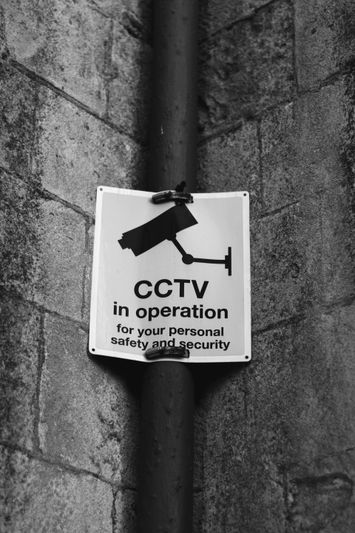
The third step is fully auditable because it can be confirmed by photographing the signage and comparing it with the transparency obligation under Articles 12 and 13 GDPR [1]. You should verify whether a person entering a monitored area receives information in layers: first, a brief notice at the entrance, and then a full privacy notice in an easily accessible location.
During the audit, it is worth recording not only the presence of signs but also their content. Typical gaps include failure to identify the controller, lack of purpose specification, missing retention information, and missing details about data subject rights. In long-used systems, notices created before procedure updates are often still in place and no longer reflect current storage and disclosure practices.
4. Check recording retention and automatic deletion
The fourth step should be based on technical evidence, not declarations. You need to verify retention settings in the recorder, overwrite policies, exceptions to deletion, and whether footage preserved for a specific case follows a separate storage path. In its video device guidelines, the EDPB emphasizes the importance of limiting the storage period to the strict minimum necessary [2].
The most common issue in existing systems is not that retention is too short, but that it is extended without proper control. If recordings are kept longer than justified by the purpose, the audit should identify the discrepancy and the evidence of its occurrence, such as configuration screenshots or the logic used for archive exports.
Control area | What to verify | Audit evidence | Typical risk |
|---|---|---|---|
Image scope | Whether the camera captures unnecessary areas | Live-view screenshot, camera map | Excessive interference with privacy |
Transparency | Whether signage and a full privacy notice are in place | Photo of signage, notice text | Failure to meet the information obligation |
Retention | Whether the storage period is limited | Recorder settings, deletion procedure | Storage without justification |
Anonymization | Whether faces and other identifiers requiring concealment, including license plates where needed, are blurred before publication | Sample material before and after processing | Disclosure of personal data in visual material |
5. DSAR test for images and recordings
The fifth step is to run a controlled data subject access request scenario. This is not about theory, but about a practical test: can the organization locate footage by date, place, and approximate time, isolate the relevant fragment, and prepare it for disclosure without infringing the rights of others? This is exactly where many systems reveal their weakest points.
If the organization cannot efficiently extract footage and anonymize bystanders, a formal procedure alone is not enough. A strong compliance approach is to perform a DSAR test periodically and document the completion time, the number of people involved, and the anonymization method used [1][2].
6. Audit access to live view, export, and archive
The sixth step concerns roles and permissions. You need to establish who has access to live view, who can export footage, who approves the release of copies, and whether the operation history can be reconstructed. In many organizations, the number of people with excessive permissions gradually increases and is not reviewed later.
At this stage, it is worth distinguishing the CCTV system from the anonymization tool. If footage is processed locally, organizations often prefer on-premise software because it limits the number of recipients who can access the material and makes the environment easier to control. For more complex infrastructure or enterprise compliance scenarios, it is worth to reach out to the team and confirm how a local deployment would fit into the adopted security model.
7. Verify the anonymization process before publication or disclosure
The seventh step should be described as a process quality test, not merely a tool feature check. You should take a sample of existing videos and photos, verify whether face blurring and license plate blurring are applied consistently, and then assess whether any other visual identifiers remain visible in the material.
This step requires precision. Gallio PRO automatically blurs only faces and license plates. It does not automatically detect company logos, tattoos, name badges, documents, or content displayed on monitor screens. These elements may require manual handling with the built-in editor. That is why a proper audit cannot stop at asking whether the system has automatic detection. It must verify whether the organization has a procedure for manually reviewing the material after automated processing.
If you need to test this workflow on real files, you can try the demo and compare the result of automatic blurring with a checklist of elements that require manual correction.
8. Audit anonymization of archived footage
The eighth step is often overlooked, even though in practice archives generate some of the highest risks. You should verify whether older materials reused for secondary purposes, for example PR, reporting, or training, are reassessed and anonymized again. The fact that footage was lawfully stored does not automatically mean it can be published without additional processing.
License plates may be especially important here. At EU level, there is no rule that always requires them to be blurred, but in many situations they may constitute personal data or lead to indirect identification, depending on the context and the means available. In Poland, positions are not entirely uniform: some case law and practice suggest that a registration number alone does not always identify a natural person, but the approach of data protection authorities and risk-based analysis often support a cautious publication standard. For that reason, an audit should expressly describe this ambiguity and adopt a risk-based practice, especially when materials are published online.
How to assess the audit result
A good internal CCTV audit does not end with a general statement that the system is compliant or non-compliant. It should identify non-conformities, evidence, the owner of the corrective action, the deadline, and the level of risk. In relation to images and video, three types of findings appear most often: excessive surveillance scope, inconsistent retention, and the absence of an effective anonymization process before publication.
If the organization uses tools for visual material processing, the audit should also confirm technical limitations. In the case of Gallio PRO, it should be clearly recorded that the system is not designed to anonymize entire body silhouettes, does not operate in real time, and according to the manufacturer’s declaration does not keep logs containing face or license plate detection data or other personal data.

FAQ - internal CCTV audit and GDPR compliance
Does every CCTV system require an anonymization-focused audit?
Not always to the same extent, but if the organization publishes photos or recordings, discloses them upon request, or reuses archived materials, such a review is a standard compliance practice. The main risks relate to faces and other identifiers visible in the material.
Is blurring faces always enough?
No. Face blurring is a basic safeguard, but the material may also contain license plates, tattoos, ID badges, logos, documents, or monitor screen content. Some of these elements require manual correction depending on the context of use.
Is a license plate always personal data?
Not always. The assessment depends on the context, the purpose of use, and the possibility of linking the number to a specific natural person. That is why many organizations take a cautious approach and apply license plate blurring when publishing materials.
Can a recording be published without face anonymization?
As a rule, this is a risky option. There are three exceptions, and they should be assessed carefully: the image concerns a widely known person in connection with public functions, the image is only a detail of a larger whole such as a gathering, landscape, or public event, or the person received agreed payment for posing unless agreed otherwise.
Should anonymization software run in the cloud?
Not necessarily. In environments with elevated requirements, organizations often consider on-premise software to limit data transfers and maintain tighter control over the processing environment. The choice depends on the organization’s security model and architecture.
Does Gallio PRO automatically detect all identifying elements?
No. Automatic detection covers only faces and license plates. Other elements, such as company logos, tattoos, name badges, documents, or content visible on a monitor screen, require manual action in the built-in editor.

References list
- [Regulation (EU) 2016/679 of the European Parliament and of the Council of 27 April 2016 - GDPR.
- European Data Protection Board, Guidelines 3/2019 on processing of personal data through video devices.
- Polish Personal Data Protection Office, materials and guidance on video surveillance.
- Court of Justice of the European Union, case law on personal data and identifiability in the context of images.
- Polish Civil Code - provisions on the protection of personal rights.
- Polish Copyright and Related Rights Act - provisions on the dissemination of a person’s image.